Understand Every Match in Seconds
The Match Explorer combines Motives, xGoals and AI Expert Insights into one clear workflow. This page shows exactly what each signal means, how to read every screen, and how to use the system properly.
What the Match Explorer Actually Does
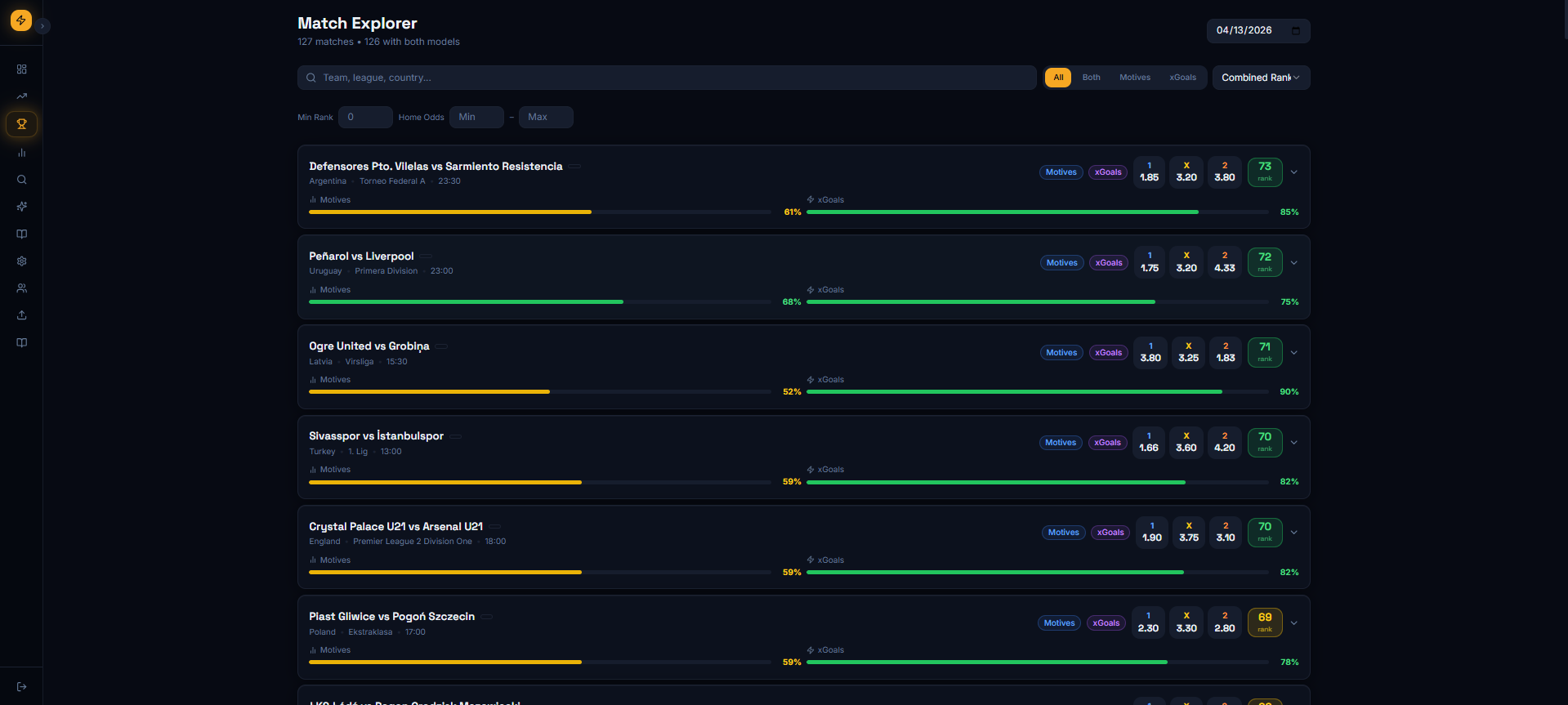
It is not just a match list. It is your decision layer. You scan matches, compare the strength of both models, open the match, inspect the raw data, and then use AI for the final contextual layer.
Motives Model
Shows patterns, trust bands, stability and behavior from the Motives database.
xGoals Model
Shows probability-driven views and market-friendly outputs from the xGoals model.
AI Expert Insight
Combines model outputs with injuries, context, team news, weather and other external inputs.
How to Read the Match Card
The first screen is built for speed. In a few seconds you should know if a match deserves attention or should be ignored.
Color Logic
- Green = strong signal
- Orange = medium signal
- Red = weak signal
- Missing bar = that model has no valid pick for the match
What to focus on first
- Look for matches where both bars exist.
- Prefer matches where both signals are green, or at least one is green and the other is solid orange.
- Use the combined rank as a fast priority score, not as blind truth.
- Open the match before doing anything serious.
Combined Rank
The rank score summarizes how good the match looks after combining both model layers. Higher rank means the match deserves more attention, but the real edge comes from checking the tabs below.
What You Get When You Open a Match
When you click a match, the system opens three different analysis layers. Each one answers a different question.
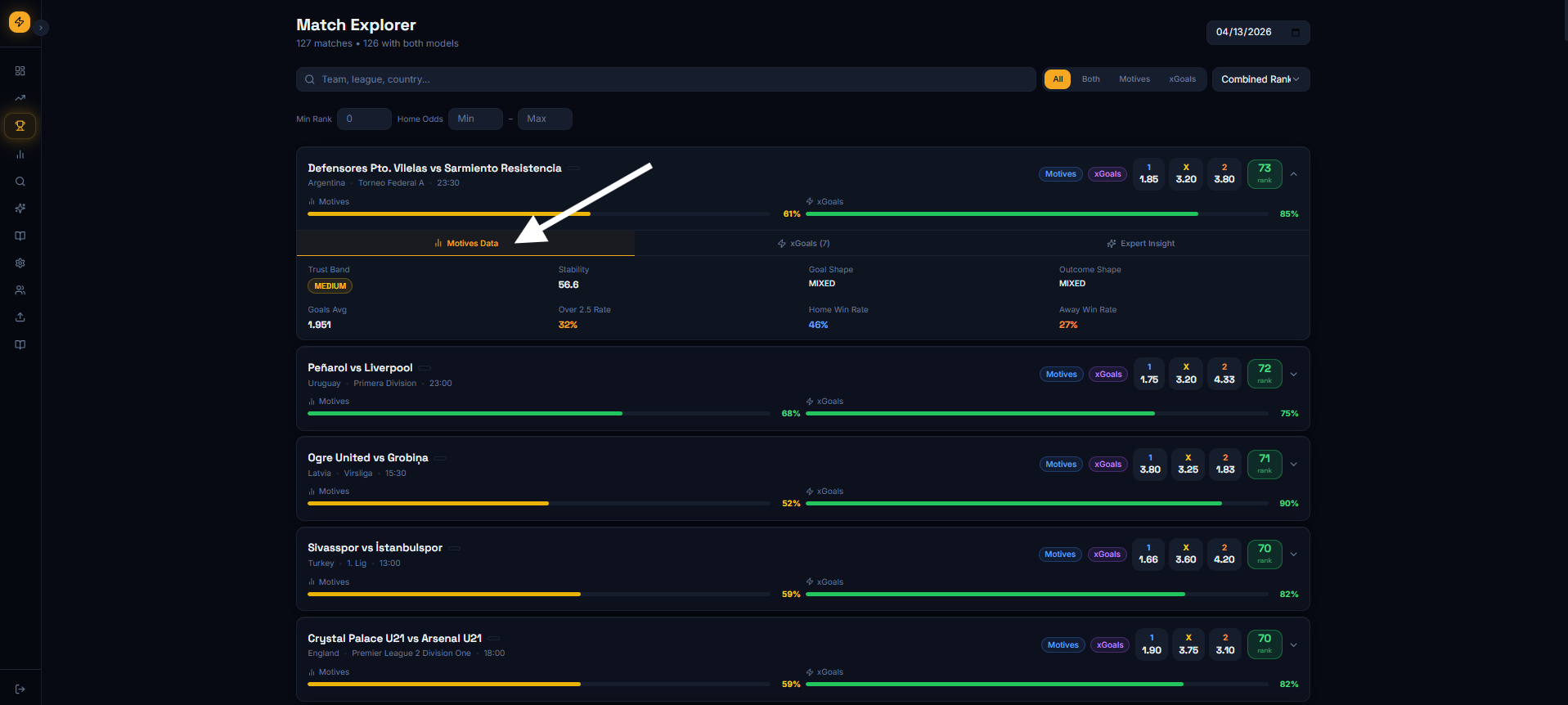
1. Motives Data: Why the match is interesting
This tab explains the Motives side of the match. You see trust band, stability, goals average, shape indicators and behavior patterns. It tells you if the historical profile is stable or noisy.
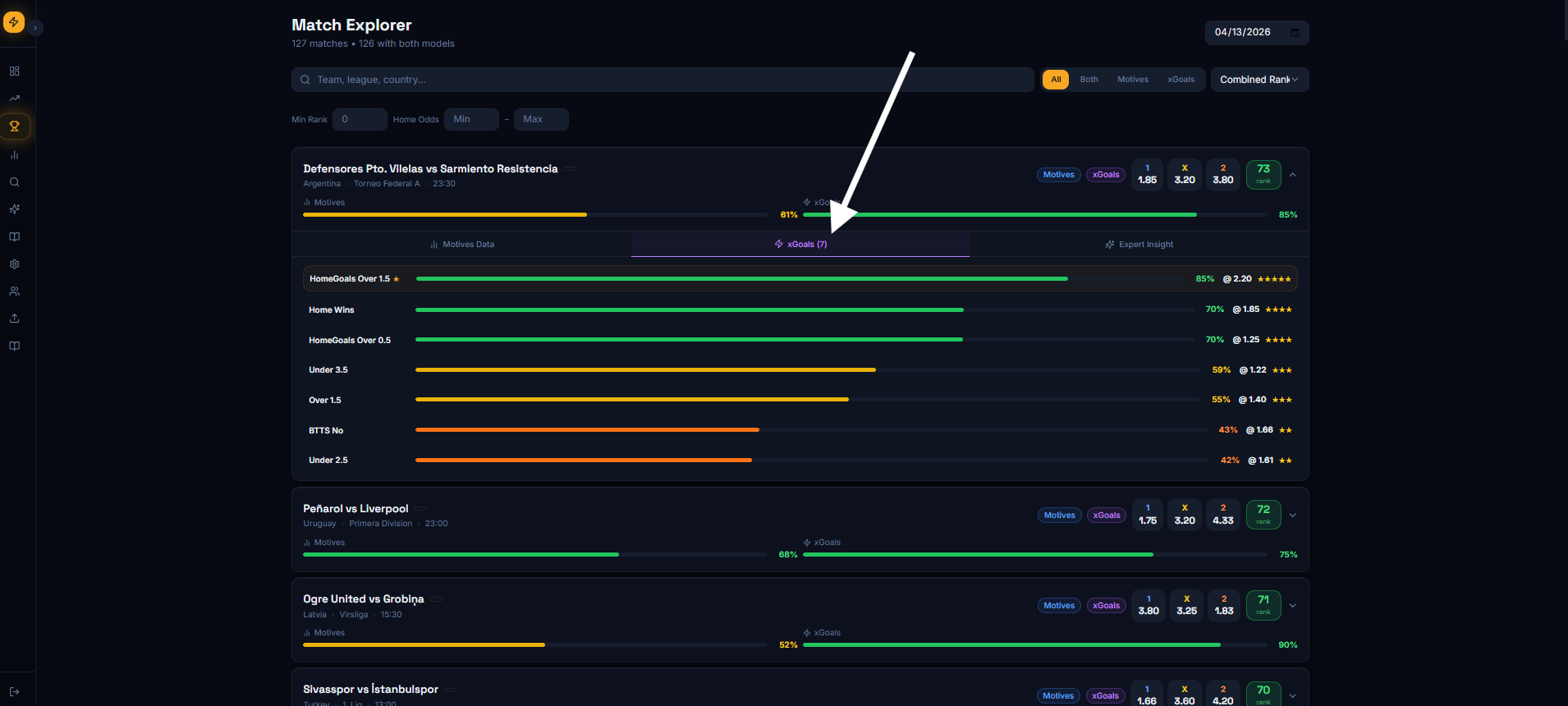
2. xGoals Data: What the model expects to happen
This tab gives the xGoals markets and probabilities. It is where users can quickly see which outcomes the statistical engine supports most strongly, such as over goals, home wins or BTTS-related markets.
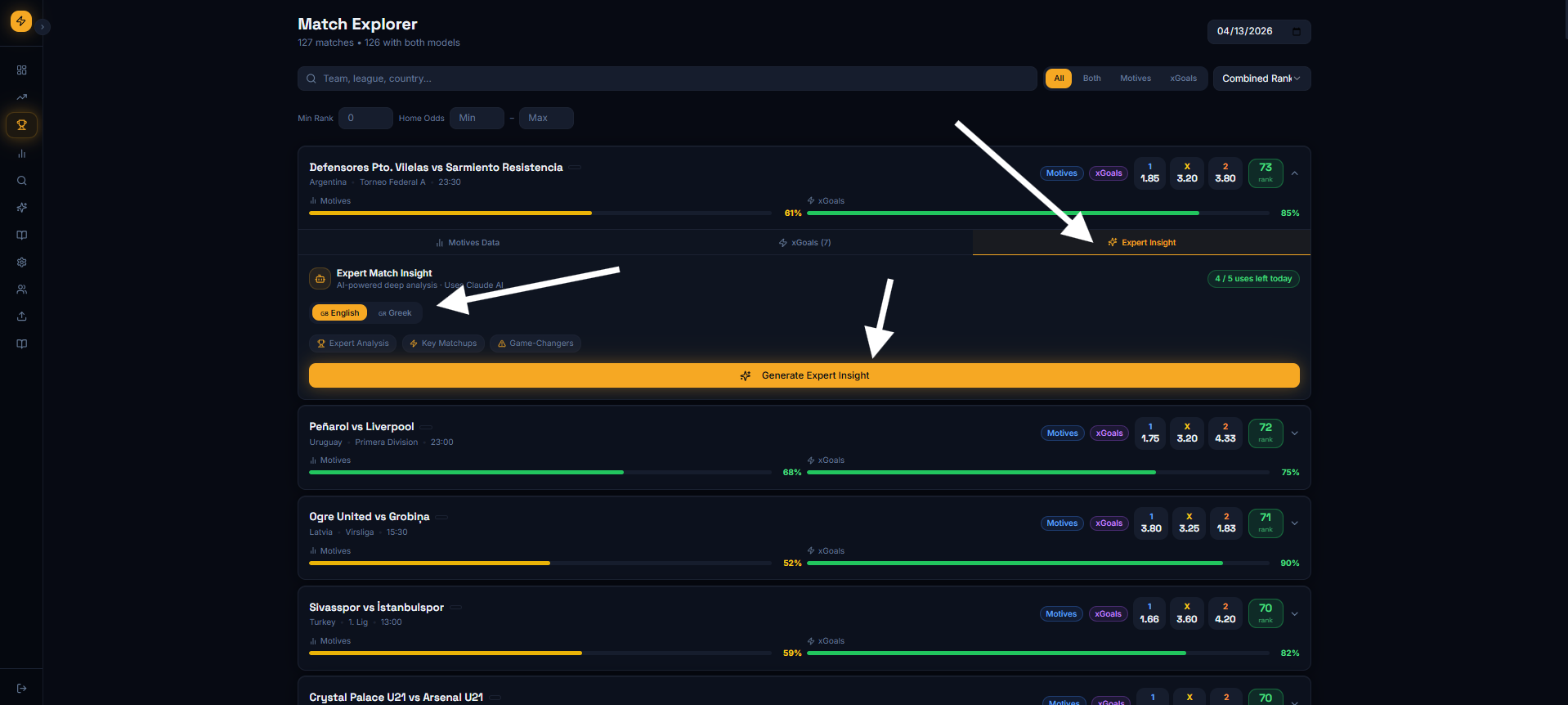
3. Expert Insight: The final contextual layer
This is the AI analysis layer. It takes data from both models, then adds context such as missing players, weather, recent team situation and matchup conditions. The result is a more human-readable match analysis with final betting angles.
English and Greek output
Expert Insights can be generated in English or Greek, so users can read the final analysis in the language that fits them best.
Keep it simple: Expert Insights is where the system explains the match in normal language after combining the raw model layers and extra context.
Recommended Workflow
This is the right way to use the page. Anything else is noise.
Scan the list
Use bars, rank and filters to find the matches that deserve deeper attention.
Open the match
Do not bet from the list view alone. The list is only the first filter.
Validate with Motives and xGoals
Check if both models tell a compatible story or if there is internal conflict.
Use AI for the final decision layer
Let the Expert Insight add context, explain risk, and surface the strongest final ideas.
How not to use it
- Do not treat one green bar as an automatic bet.
- Do not ignore missing context just because the rank looks high.
- Do not use AI as magic. Use it as a final layer after the raw data.
- Do not force action on every match. The edge comes from selection.